


If you’re a marketer preparing a content strategy or writing a deep-dive article, you know research is everything. You need to gather as much useful information as possible to make your strategy or article complete and grounded in accurate data.
Most marketers rely on webpages, LinkedIn posts, PDFs, and research papers but organizing all that information is a nightmare.
You probably bookmark links hoping they’ll come back to you, dump them into Google Sheets or Notion, and spend hours explaining things in columns or notes.
If you work in a team, collaboration becomes even harder.
And using multiple tools to collect research makes everything scattered and confusing. You end up wasting time, juggling dozens of tabs, copying and pasting constantly, and still feeling like you’re losing insights.
So, what does a modern marketer need to organize research efficiently?
Let’s break down the four features that make the biggest difference and how Collabwriting implements them.
1) One-Click Saving & Highlighting
You lose valuable information while researching because you often bookmark entire articles or videos, even when you only need one or two sentences.
And when it’s time to use them, you open dozens of tabs and have to start reading from scratch, wasting time and breaking your focus.
With Collabwriting, you can save the most important parts of any text by simply highlighting them. Press Enter, and the snippet is instantly saved to a Topic or your inbox. You can even leave a short note explaining why you saved it.
Later, when you need it, you can locate the exact text, see when you saved it, check the original source, and read your comment, everything neatly organized and easy to access.
- Save time: No more digging through dozens of tabs or spreadsheets. Your highlights are instantly organized and searchable.
- Better collaboration: Shared Topics let your team see your snippets, comments, and sources in context, reducing confusion and back-and-forth.
- Higher-quality content: By keeping the most important insights, notes, and sources together, your strategies and articles are grounded in accurate, actionable information.
2) Topic & Cluster Organization
When you gather information from multiple sources, such as websites, LinkedIn, Reddit, or YouTube, it’s easy for your research to get scattered. Connecting everything into a clear, logical structure can feel impossible.
With Collabwriting, you can organize your saved snippets into Topics and then group related Topics into Clusters.
A Cluster is a collection of related Topics - a higher-level organizational tool that keeps everything connected and easy for you to navigate.
For example, you can create a “Marketing Insights 2025” cluster, and topics inside this Cluster could include:
- Social Media Trends
- Top Chrome Extensions for Marketers
- Content Formats That Drive Engagement
Types of Clusters you’ll see in Collabwriting:
- My Topics: Your personal default Cluster
- Custom Clusters: You can create and name them however you like
- Archive Cluster: Where your archived Topics go
- Shared Clusters: Clusters that teammates shared with you
- Clear structure: Clusters give you a logical framework so you can quickly find what you need.
- Manage large projects: Break big projects into smaller, manageable parts.
- Improve collaboration: Your team can understand the scope of research and find relevant information without confusion.
3) PDF Annotation & Collaboration
When you’re researching, PDFs are usually the biggest black hole. You download them, forget where you saved them, or highlight them in some random PDF viewer, and later, none of those notes are searchable or connected to the rest of your research.
Collabwriting allows you to highlight and annotate PDFs directly from your desktop. You can work with both online PDFs and uploaded PDFs, and all your highlights stay organized inside Topics - just like everything else you save.
If the PDF is online:
- Open it in your browser
- Click the Collabwriting extension
- The PDF opens in the Collabwriting Reader
- You can instantly highlight, add notes, and send everything to a Topic
Or simply paste a PDF link into Reader on your Dashboard.
If the PDF is on your computer:
- Open your Dashboard → Reader
- Upload the PDF
- Start highlighting and annotating like you normally would
- Every note stays connected to its Topic and source
You’re researching a new AI framework and working through a 40-page PDF. Instead of copying quotes into a Google Doc, you highlight directly inside the PDF and send those highlights to a Topic called AI Research 2025. And the best part? That same Topic can hold insights from anywhere - webpages, PDFs, YouTube videos, LinkedIn posts, articles - everything lives together. When you come back to it later, every snippet shows the exact place it came from.
4) Shareable Research Flow
Working with research as a team is usually… chaos.
Links get buried in email threads, screenshots get lost in Slack, and when you want to share just one insight, you end up copy-pasting text, adding the link, explaining where it came from, and hoping no one loses the context as the conversation continues. Spoiler: they do.
With Collabwriting, you can share an entire Topic so your team sees the full research in context. No more hidden links or Slack archaeology.
Everyone instantly understands what was saved, why it matters, and where it came from.
If you’re using the Team version, it gets even better:
You can all collect insights together in the same Topics, leave comments, tag each other, and build one unified knowledge base instead of 10 disconnected chats.
- You reduce back-and-forth clarifications
- Your team works from the same verified sources
- Nothing gets lost in DMs, Slack threads, or messy docs
- Collaboration becomes real-time, structured, and visible
If You’re Choosing a Research Tool, Start Here
These four features aren’t just conveniences - they’re the core capabilities every marketer actually needs when trying to turn messy research into clear, usable output.
Most tools help you capture some information.
Collabwriting helps you connect all of it - highlights, PDFs, LinkedIn posts, YouTube timestamps, comments, context - into one organized, collaborative workflow that finally makes sense.
So if you’re tired of scattered tabs, buried bookmarks, and documents no one ever opens again, this is the moment to switch to a tool that actually moves your projects forward.
💡 And remember: These four features are only the beginning of what Collabwriting can do. But they’re the foundation - the things that decide whether your research becomes a strategic advantage or another chaotic pile you avoid until the last minute.
Ready to see the difference? 👀
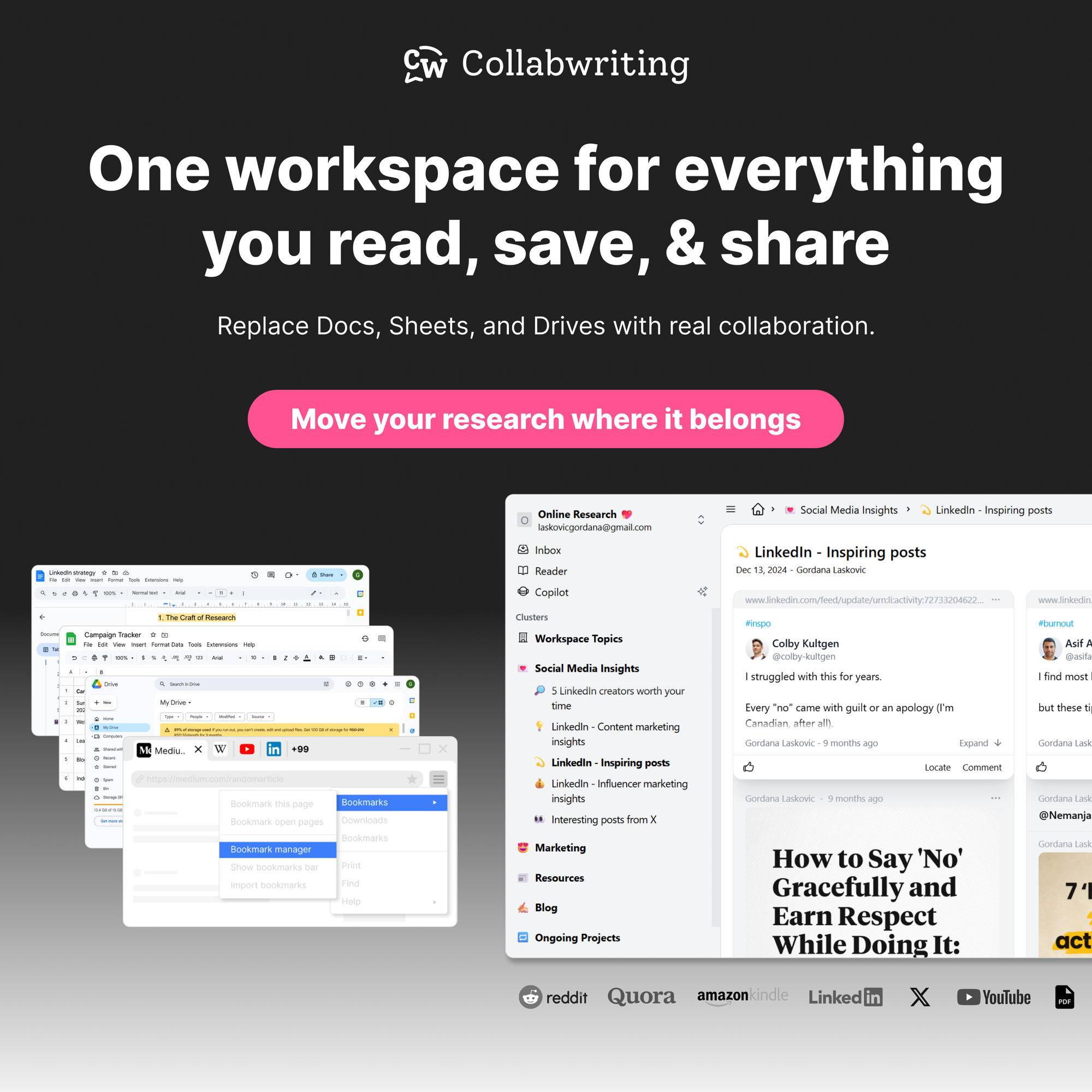
Collabwriting - Shareable Notes on Web Pages and PDFs
Collabwriting allows you to gather all your online sources in one place. No more endless scrolling, no more lost insights, just simple, structured knowledge at your fingertips.
Just highlight, save, and collaborate with anyone on any content you find online.
FAQ
What makes a research tool ideal for marketers?
An ideal research tool helps you save key insights as you browse, organize them into Topics and Clusters, annotate PDFs, and share research with your team - all in one place.
Can I organize research from multiple sources in one tool?
Yes! Collabwriting lets you save snippets from webpages, PDFs, YouTube videos, LinkedIn posts, and more into a single Topic, so everything related to a project stays in one place.
How does Collabwriting help with team collaboration?
With shareable Topics, your team can view, comment, and contribute insights in context. Everyone sees the full research workflow without losing notes in emails, Slack, or spreadsheets.
Does Collabwriting improve content creation efficiency?
Yes. By organizing research and insights in one place, you can quickly access key information, reduce time spent digging through tabs, and create verified content faster.
Is Collabwriting suitable for both individual marketers and teams?
Yes. Individuals can organize their personal research, while teams can collaborate in real-time, share Topics, and build a collective knowledge base.
![The Best Tool for Collaborative Research in Content Marketing Teams [2026]](/content/images/size/w600/format/webp/2025/12/image--5-.png)

![5 Tools Marketers Use to Organize Research - Compared [2026]](/content/images/size/w600/format/webp/2025/11/cover-4-1.png)

![Build Credibility in Research: Smart Way to Verify Information and Track Sources Easily [2025]](/content/images/size/w600/format/webp/2025/10/covers-for-blog--7--1.png)

![How Marketers Can Turn LinkedIn Content into Collaborative Research [2025]](/content/images/size/w600/format/webp/2025/10/covers-for-blog--8-.png)
![Best Readwise Alternative for Personal & Team Research [2026]](/content/images/size/w600/format/webp/2025/09/Frame-814--3-.png)


